Download Bloxstrap for Windows – The Open-Source Roblox Launcher with FastFlags & Custom Mods
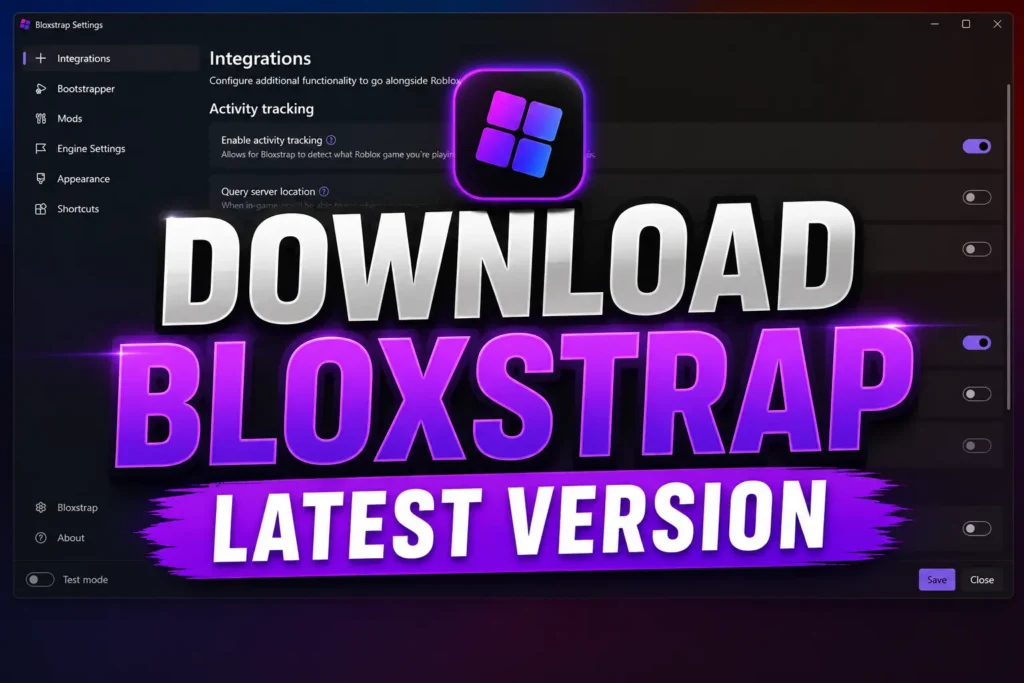
Bloxstrap is a free, open-source alternative launcher for Roblox that gives Windows users greater control over how the Roblox client launches and behaves. Instead of replacing Roblox, Bloxstrap works as a lightweight bootstrapper that enhances the official client with customization features, FastFlags management, Discord Rich Presence, launcher settings, and community-created mods.
Whether you’re a casual player, game tester, developer, or content creator, Bloxstrap provides a cleaner, more customizable Roblox experience while remaining transparent, open source, and community-driven.
Download Bloxstrap today to unlock advanced launcher features without modifying your Roblox account or requiring sensitive authentication cookies.
Why Choose Bloxstrap?
The default Roblox launcher offers only basic functionality. Bloxstrap extends the official launcher with powerful tools designed for customization, convenience, and performance.
With Bloxstrap you can:
- Launch Roblox through a modern Windows interface
- Customize themes, fonts, cursors, and sounds
- Edit Roblox FastFlags safely
- Enable Discord Rich Presence
- Preserve local modifications after Roblox updates
- Launch Roblox Studio with the same configuration
- Switch between supported Roblox release channels
- Install community-created mods effortlessly
- Enjoy an open-source application with publicly auditable code
Because Bloxstrap wraps the official Roblox installation instead of modifying protected game files, it remains one of the most trusted launcher alternatives available.
Need to run more than one Roblox account simultaneously? Read our Multiple Game Instances (2026) — Play Multiple Roblox Games at Once guide to learn how to launch multiple Roblox sessions safely.
Powerful Features Included in Bloxstrap
FastFlags Editor
Access and manage Roblox FastFlags from an easy-to-use interface. Advanced users can enable experimental client features, optimize graphics settings, test rendering options, or configure development flags without manually editing configuration files.
Roblox Client Customization
Personalize your Roblox experience with:
- Custom themes
- Custom mouse cursors
- Fonts
- Startup screens
- Notification sounds
- Classic sound packs
- Interface modifications
Unlike manual file editing, Bloxstrap automatically reapplies supported customizations after Roblox updates.
Discord Rich Presence
Show your current Roblox activity directly inside Discord.
Bloxstrap can display:
- Current game
- Join status
- Server information
- Custom activity text
- Rich Presence icons
This makes it easier for friends to see what you’re playing and join compatible multiplayer sessions.
Roblox Studio Support
Game developers can also launch Roblox Studio through Bloxstrap, allowing consistent launch settings, configuration management, and improved workflow across both Roblox and Studio.
Community Mod Support
Install compatible Roblox mods from the community or create your own modifications. Since Bloxstrap keeps user assets organized separately, managing and updating mods becomes significantly easier.
Safe, Transparent & Open Source
Security matters when downloading Windows software.
Bloxstrap is trusted by thousands of Roblox users because it focuses on transparency instead of hidden functionality.
Key security advantages include:
- Fully open-source source code
- MIT License
- Public development
- Community-reviewed updates
- No Roblox password required
- No account login handling
- No .ROBLOSECURITY cookie required
- Supports SHA-256 checksum verification
- Does not inject into Roblox gameplay
Being open source means anyone can inspect the source code, review changes, and contribute improvements through the project’s public repository.
System Requirements
Bloxstrap runs on the same hardware capable of running Roblox.
Minimum requirements include:
- Windows 10 or Windows 11 (64-bit)
- Microsoft .NET Desktop Runtime
- 4 GB RAM
- Internet connection
- Standard Roblox installation
For the smoothest experience, 8 GB RAM and current Windows updates are recommended.
How to Install Bloxstrap
Installing Bloxstrap only takes a few minutes.
- Download the latest Bloxstrap installer.
- Run the installer on your Windows PC.
- Install the Microsoft .NET Desktop Runtime if prompted.
- Finish installation and launch Roblox normally from the official website.
- Bloxstrap automatically manages future launches while keeping your preferences and supported customizations intact
Who Should Use Bloxstrap?
Bloxstrap is ideal for:
- Roblox players
- Roblox developers
- Roblox Studio creators
- Content creators
- Modding enthusiasts
- Game testers
- Speedrunners
- Community server administrators
- Windows gamers looking for more launcher control
Whether you simply want Discord Rich Presence or full FastFlags management, Bloxstrap provides tools for every experience level.
Conclusion
Choosing the right launcher is about long-term reliability as much as features. Bloxstrap continues to evolve through an active community, frequent updates, and transparent development, making it a dependable choice for users who value stability and flexibility. As Roblox grows, Bloxstrap remains a practical companion for anyone who wants a more refined and future-ready launching experience.