
Robux Tax Calculator (2026) – Roblox Tax, Gamepass & More

If you’ve ever sold a Game Pass, Developer Product, T-shirt, or clothing item on Roblox, you’ve probably wondered:

“How much Robux will I actually receive after Roblox takes its fee?”

That’s exactly what this calculator is for.

Simply enter the amount of Robux, and you’ll see how much you’ll receive after Roblox’s marketplace fee. You can also work backwards to find the exact price you need to set if you want to earn a specific amount.

Whether you’re creating your first Game Pass or managing multiple games, this Robux Tax Calculator saves you from doing percentage calculations manually.

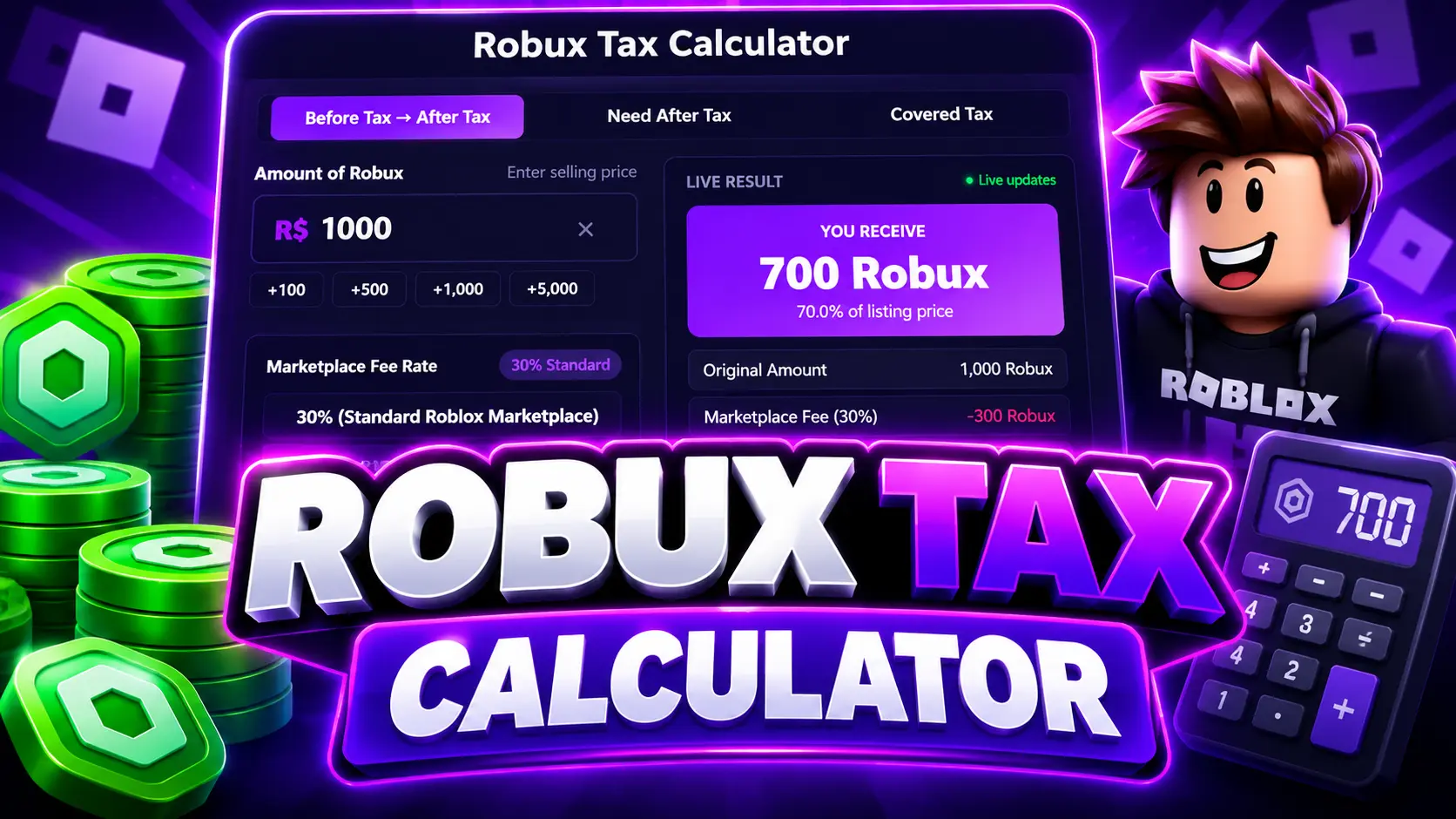
Robux Tax Calculator

Enter selling price
Marketplace Fee Rate 30% Standard
Calculating net earnings received after Roblox deducts 30% marketplace fee.
Live Result Live updates
You Receive
700 Robux
70.0% of listing price
Original Amount 1,000 Robux
Marketplace Fee (30%) -300 Robux
Final Earnings 700 Robux
Effective Keep Percentage 70.0%
Visual Distribution 70% Seller / 30% Fee
You Receive (700) Marketplace Fee (300)

Gamepass Price Planner

One of the biggest mistakes new Roblox creators make is pricing their Game Pass too low. For example, if your goal is to earn 5,000 Robux, setting the price to 5,000 won’t work because Roblox deducts its marketplace fee.

Simply enter the amount you want to receive, and we’ll calculate the exact price you should list.

Enter target payout to calculate required Gamepass listing price.

Recommended Gamepass Price 7,143 Robux List your item or pass at this exact price
Marketplace Fee (30%) 2,143 Robux
Final Net Earnings 5,000 Robux

Popular Robux Tax Calculations

Not sure what amount to enter? Below are some of the most searched Robux values, including 100, 400, 500, 1,000, 5,000, 10,000, 25,000, 50,000 and 100,000 Robux. Click any value to load it into the calculator.

Quick Compare Robux Tax Table

Need a quick answer without typing? Use the comparison table below to see the marketplace fee and final earnings for the most common Robux amounts.

Selling Price (Robux)Marketplace Fee (30%)Final Net Earnings (70%)Effective RateAction
100 Robux-30 Robux70 Robux70.0%
250 Robux-75 Robux175 Robux70.0%
500 Robux-150 Robux350 Robux70.0%
1,000 Robux-300 Robux700 Robux70.0%
2,500 Robux-750 Robux1,750 Robux70.0%
5,000 Robux-1,500 Robux3,500 Robux70.0%
10,000 Robux-3,000 Robux7,000 Robux70.0%
25,000 Robux-7,500 Robux17,500 Robux70.0%

Roblox Tax Mathematical Formulas

1. After Tax Formula (Earnings)

Use this to find out how much Robux you will receive from a given listing price.

After Tax = Amount × (100 − Tax%) ÷ 100

Example (1,000 Robux @ 30%):
1000 × (100 − 30) ÷ 100 = 700 Robux

2. Before Tax Formula (Listing Price)

Use this to calculate what to price your Gamepass if you want a specific net amount.

Before Tax = Desired Amount ÷ ((100 − Tax%) ÷ 100)

Example (Desired 5,000 Robux @ 30%):
5000 ÷ 0.70 = 7142.85 → 7,143 Robux


How Roblox Marketplace Tax Works

Whenever you sell eligible items on Roblox, the platform keeps a portion of the sale as a marketplace fee. In most standard marketplace transactions, creators receive 70% of the listed price, while Roblox keeps 30%. For more information about Roblox’s creator ecosystem and selling experiences, visit the official Roblox Creator Documentation.

https://create.roblox.com/docs

For example:

  • Sell an item for 1,000 Robux
  • Roblox keeps 300 Robux
  • You receive 700 Robux

Knowing this beforehand helps you price your creations correctly and avoid earning less than expected.
Robux Tax Calculator

Robux After Tax Calculator

Use this mode when you already know your selling price. The calculator automatically subtracts Roblox’s marketplace fee and shows exactly how many Robux will be added to your account after the sale. No manual percentage calculations or guessing.

Robux Before Tax Calculator

If you have a target income in mind, the Before Tax Calculator does the opposite. Instead of calculating your earnings, it calculates the selling price required to reach those earnings.

For example, if you want to receive 10,000 Robux, the calculator tells you the exact amount you should charge before Roblox deducts its fee.

Covered Tax Calculator

Sometimes you’ll see people say “I’ll cover the tax.” That simply means the buyer agrees to pay extra so the seller still receives the full agreed amount.

Our Covered Tax Calculator shows the total payment, marketplace fee, and seller payout, making it useful for commissions, donations, and private deals.


Frequently Asked Questions

What is Roblox tax?

Roblox applies a marketplace fee to many sales made through the platform. This means creators receive less than the listed selling price

How much Robux do I receive from 1,000 Robux?

With a standard 30% marketplace fee, selling something for 1,000 Robux leaves you with 700 Robux.

How do I receive exactly 5,000 Robux?

Use the Need After Tax mode. Enter your target amount (5,000 Robux), and the calculator will tell you the exact selling price to set (7,143 Robux).

Does this work for Game Passes?

Yes. It’s useful for pricing Game Passes, Developer Products, avatar items, and other marketplace sales where the standard fee applies.

Is this calculator free?

Yes. You can use it as many times as you like without creating an account.