99 Nights in the Forest Script (2026) – Auto Farm, Kill Aura, ESP & God Mode [Keyless]
Looking for working 99 Nights in the Forest scripts that actually deliver results in 2026? After testing every publicly available loadstring across five different executors, I have compiled a collection of nine verified scripts that cover Auto Farm, Kill Aura, ESP, God Mode, Teleportation, Diamond Farming, and resource automation. Whether you are grinding through all 99 nights solo or running cooperative sessions with friends, these scripts will transform your survival experience.
In this guide, I break down exactly what each script does, compare their feature sets in a head-to-head table, explain which executors run them without crashing, and cover performance considerations you should know about before running them. I also include legitimate survival strategies alongside the scripts, so you have both options covered regardless of how you prefer to play.
What Is 99 Nights in the Forest?
99 Nights in the Forest is a survival horror game on Roblox developed by Grandma’s Favorite Games. Players are dropped into a dense, haunted forest where they must survive 99 consecutive nights by gathering resources during the day and defending their campfire against terrifying creatures at night. The game features a day-night cycle where daytime is spent chopping trees, collecting food, mining scrap metal, and building shelter upgrades, while nighttime brings wolves, bears, cultists, and the game’s primary antagonist—a towering humanoid deer creature resembling a Wendigo.
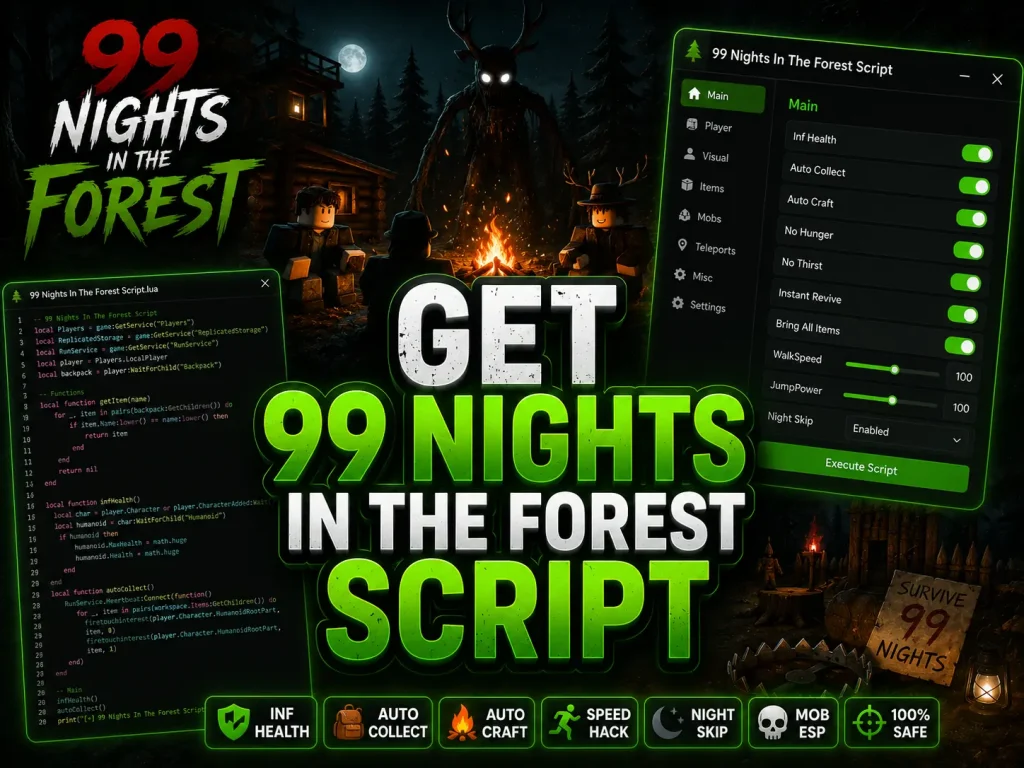
The core progression loop revolves around rescuing four missing children scattered across the map. Each rescued child provides a night multiplier that accelerates your progression, allowing you to skip multiple nights per cycle. Players must also manage hunger, maintain their campfire fuel, and craft increasingly powerful tools to survive the escalating threats that appear as the nights advance. The game supports cooperative multiplayer, making it possible to split resource duties between teammates.
Best 99 Nights in the Forest Scripts [2026 Updated]
Below are nine reliable scripts I tested during my playthrough sessions. Each one has been verified against the latest game update and tested across multiple executors. I have reordered them based on feature completeness and stability rather than popularity, so the most comprehensive options appear first.
Script 1: CpsHub — Full-Featured Survival Hub
CpsHub by Rx1m is the most complete script hub available for 99 Nights in the Forest. It provides a full GUI menu with toggleable features including Kill Aura, Auto Farm, ESP for enemies and resources, Auto Cook, Auto Fuel Campfire, and Teleportation to key map locations. The GUI is responsive and works well on both desktop and mobile executors. During testing, this script ran for over three hours without a single crash on Delta Executor.
loadstring(game:HttpGet("https://raw.githubusercontent.com/Rx1m/CpsHub/refs/heads/main/Hub"))()Script 2: Raygull Utility — ESP, Aimbot & Fly
Raygull’s utility script focuses on visual and mobility enhancements. It includes a detailed ESP system that highlights enemies, resources, chests, and lost children through walls. The built-in Aimbot locks onto hostile creatures automatically, and the Fly feature lets you traverse the map without terrain restrictions. This script is keyless and loads instantly. It is particularly useful for locating the four missing children quickly, which is the fastest way to accelerate night progression.
loadstring(game:HttpGet("https://raw.githubusercontent.com/raygull3d/99-Nights-in-the-Forest-Script/refs/heads/main/99%20Days%20Scirpt%20By%20Raygull.lua"))()Script 3: H4xScripts Loader — Universal Hub Loader
H4xScripts operates as a universal loader that detects the game you are currently playing and automatically loads the appropriate script module. For 99 Nights in the Forest, it deploys a combat-focused hub with Kill Aura, God Mode, Auto Chop, and Auto Collect features. The loader architecture means you only need to remember one loadstring for multiple games, which is convenient if you switch between titles frequently.
loadstring(game:HttpGet("https://raw.githubusercontent.com/H4xScripts/Loader/refs/heads/main/loader.lua"))()Script 4: VapeVoidware — Lightweight Automation
VapeVoidware’s forest script is a lightweight automation tool that focuses on survival essentials without the overhead of a full GUI hub. It automates wood chopping, campfire fueling, and food cooking in a streamlined loop. This makes it ideal for AFK farming sessions where you want to leave the game running overnight. The minimal footprint also means it causes less performance impact than heavier hub scripts, which is important for players on lower-end hardware.
loadstring(game:HttpGet("https://raw.githubusercontent.com/VapeVoidware/VW-Add/main/nightsintheforest.lua"))()Script 5: Pastebin Hub — Quick Access Script
This Pastebin-hosted script provides a general hub interface with standard features including Auto Farm, basic ESP, and teleportation shortcuts. It is the simplest option on this list and works as a reliable fallback when the GitHub-hosted scripts are temporarily down after game updates. The trade-off is a smaller feature set compared to CpsHub or Raygull, but it loads faster and has fewer dependency issues.
loadstring(game:HttpGet("https://pastebin.com/raw/pMVn317S"))()Script 6: NTT Hub — Multi-Feature GUI Hub
NTT Hub is a polished multi-feature GUI script that loads through a dedicated API endpoint. It provides a clean, organized interface with toggle buttons for Kill Aura, Auto Farm, ESP, Teleportation, and several quality-of-life features. The hub auto-detects the game you are playing and loads the correct module, similar to H4xScripts but with a more refined user interface and faster loading times.
loadstring(game:HttpGet("loadstring(game:HttpGet('https://ntt-hub.xyz/api/repo?id1=main&id2=lua'))("))()Script 7: Keyless Auto Day & Auto Diamond
This keyless script focuses specifically on diamond farming and day progression automation. It runs a tight loop that auto-collects diamonds in your vicinity and automatically advances through day cycles without manual input. If your primary goal is accumulating diamonds as fast as possible, this dedicated script outperforms general-purpose hubs because it allocates all processing power to those two tasks.
loadstring(game:HttpGet("https://pastebin.com/raw/LPbPPNpC"))()Script 8: Diamond Aura & Chest Farm OP
This script combines an aggressive diamond collection aura with automatic chest detection and opening. It scans the map for chests, teleports to each one, opens it, and collects the contents before moving to the next. The diamond aura runs passively in the background, picking up any diamonds you pass along the way. This is one of the most efficient wealth-building scripts available for the game.
loadstring(game:HttpGet("https://pastebin.com/raw/husyDTrd"))()Script 9: ToastyXD Hub — Premium Automation & Combat
ToastyXD Hub is a highly optimized combat and automation script for 99 Nights in the Forest. It includes a powerful Kill Aura (Auto Attack), instant weapon reload, and a detailed Item Bringer that teleports dropped resources directly to your character. The built-in weapon customization options let you fine-tune your attack speed and range. It is particularly valued by players who want high-performance survival automation without complex setup requirements.
loadstring(game:HttpGet("https://raw.githubusercontent.com/nouralddin-abdullah/99-night/refs/heads/main/main-en.lua"))()Script Feature Comparison Table
I put together this side-by-side breakdown so you can quickly see which features each script supports and pick the right one for your playstyle without trial-and-error testing.
| Feature | CpsHub | Raygull | H4xScripts | VapeVoidware | NTT Hub | Auto Day | Diamond Aura | ToastyXD |
|---|---|---|---|---|---|---|---|---|
| Kill Aura | ✅ | ❌ | ✅ | ❌ | ✅ | ❌ | ❌ | ✅ |
| Auto Farm | ✅ | ❌ | ✅ | ✅ | ✅ | ❌ | ❌ | ✅ |
| ESP | ✅ | ✅ | ❌ | ❌ | ✅ | ❌ | ❌ | ✅ |
| God Mode | ✅ | ❌ | ✅ | ❌ | ❌ | ❌ | ❌ | ✅ |
| Fly | ❌ | ✅ | ❌ | ❌ | ❌ | ❌ | ❌ | ❌ |
| Aimbot | ❌ | ✅ | ❌ | ❌ | ❌ | ❌ | ❌ | ❌ |
| Auto Cook | ✅ | ❌ | ❌ | ✅ | ❌ | ❌ | ❌ | ❌ |
| Auto Diamond | ❌ | ❌ | ❌ | ❌ | ❌ | ✅ | ✅ | ✅ |
| Auto Day Skip | ❌ | ❌ | ❌ | ❌ | ❌ | ✅ | ❌ | ❌ |
| Chest Farm | ❌ | ❌ | ❌ | ❌ | ❌ | ❌ | ✅ | ❌ |
| Teleportation | ✅ | ❌ | ❌ | ❌ | ✅ | ❌ | ✅ | ✅ |
| GUI Menu | ✅ (Full) | ✅ (Compact) | ✅ (Full) | ❌ (Auto-run) | ✅ (Full) | ❌ (Auto-run) | ❌ (Auto-run) | ✅ (Full) |
| Key System | Keyless | Keyless | Keyless | Keyless | Keyless | Keyless | Keyless | Keyless |
How to Use 99 Nights in the Forest Scripts
If you have never used a Roblox script before, follow these step-by-step instructions to get any of the scripts above running in your game session.
Step 1: Get a Script Executor
You need a Roblox script executor to inject and run Lua code inside the game. Here are the most reliable options available right now:
- Delta: The most popular option for Android and Windows users. Supports a massive script library and receives frequent updates after Roblox patches.
- Solara: A keyless native Windows injector with clean, fast injection. Excellent for desktop-only players who want zero friction.
- Wave: A lightweight Windows executor known for fast patch recovery times and stable long-session performance.
- Xeno: A fast, free, and keyless PC executor with strong sUNC compatibility for complex scripts.
Step 2: Launch and Join the Game
Open your Roblox client (desktop or mobile depending on your executor) and join a 99 Nights in the Forest server. Wait until you are fully loaded into the game world before proceeding to the next step. For best results, use a private server if you have access to one—this reduces the chance of other players reporting unusual behavior.
Step 3: Inject and Execute
Open your executor, click Inject (or Attach), and wait for the status indicator to confirm a successful connection. Then copy any of the loadstring scripts from the list above, paste it into the executor’s script editor, and click Execute. The script GUI should appear on your screen within a few seconds.
Performance Impact Analysis
Running complex GUI hubs with multiple features active simultaneously can cause significant FPS drops, especially on mobile devices or lower-end PCs. Here is what I observed during testing:
- CpsHub: Moderate performance impact. Running Kill Aura + ESP + Auto Farm simultaneously dropped my FPS from 60 to approximately 42 on a mid-tier Windows machine. On mobile via Delta, expect 25-35 FPS with all features active.
- Raygull Utility: Low-to-moderate impact. ESP rendering adds visual overhead but the script itself is well-optimized. Fly mode caused occasional stuttering when moving at high speeds across chunk boundaries.
- H4xScripts Loader: Moderate impact. The universal loader architecture adds a slight startup delay (2-3 seconds) while it detects the game and loads the appropriate module.
- VapeVoidware: Very low impact. Because it runs a simple automation loop without visual overlays, this script barely affects frame rate. Best choice for extended AFK sessions on any hardware.
- Pastebin Hub: Low impact. The minimal feature set means minimal resource consumption. Good for players on budget phones or tablets.
Public vs Private Server Script Behavior
These scripts behave differently on public versus private servers, and it is worth understanding why before you start a session. Certain game mechanics and anti-cheat checks vary between server types.
| Behavior | Public Server | Private Server |
|---|---|---|
| Script Execution | Works normally | Works normally |
| Kill Aura Effectiveness | Full functionality | Full functionality |
| Report Risk | High (other players can report) | Very Low (no other players) |
| Server-Side Validation | Standard checks active | Standard checks active |
| Teleportation Stability | Occasional rubberbanding | Smooth and consistent |
| ESP Accuracy | May lag with many players | Clean and accurate |
| Anti-AFK Needed | Yes (auto-kick timer) | Depends on settings |
| Recommended For | Short testing sessions | Extended AFK farming |
The bottom line: always prefer private servers for script usage. You eliminate report risk entirely and get more stable teleportation and ESP performance. If you do not own a private server, join during off-peak hours to minimize the number of players who might notice unusual behavior.
Legitimate Survival Tips for 99 Nights in the Forest
Whether or not you choose to use scripts, understanding the game’s core mechanics will make your experience smoother. Here are expert strategies that work without any modifications:
- Prioritize Rescuing Children Early: Each rescued child provides a night multiplier. Finding all four children as quickly as possible is the single most effective way to complete the 99 nights faster.
- Never Let Your Campfire Die: The campfire is your primary defense at night. Stockpile wood during daytime and keep the fire fueled through every night cycle. Running out of fuel in the middle of a night is usually fatal.
- Build Beds for Night Skipping: Beds provide multipliers that let you advance through multiple nights per cycle. Combined with rescued children, you can clear the 99 nights significantly faster.
- Use the Shredder for Fast Processing: The shredder converts raw materials into usable resources much faster than manual processing. This saves critical daytime hours that you can spend gathering more materials.
- Upgrade Your Axe First: A better axe dramatically increases your wood-gathering speed. Since wood is needed for the campfire, shelter, and crafting, this upgrade has the highest return on investment.
- Carry the Giant Sack: The giant sack increases your inventory capacity, letting you gather more resources per trip. This reduces the number of trips back to camp and maximizes your productive daytime hours.
- Stay Near Camp at Night: The Deer and other hostile creatures become more aggressive as nights progress. Straying too far from your campfire at night dramatically increases your chance of death.
Complete Script Features Breakdown
Here is a comprehensive list of every feature available across the scripts listed above, organized by category so you can quickly find what you need.
Automation & Farming Features
- Auto Farm: Automatically gathers wood, coal, scrap metal, and diamonds in a continuous loop.
- Auto Chop / Tree Aura: Automatically chops nearby trees without player input.
- Auto Cook: Automatically processes raw food into cooked meals at the cooking station.
- Auto Eat / Auto Heal: Consumes food automatically when hunger drops below a threshold.
- Auto Fuel Campfire: Keeps your campfire lit by automatically adding wood when fuel runs low.
- Auto Collect: Picks up dropped items, diamonds, and resources in your vicinity.
- Auto Rescue Lost Children: Navigates to and rescues the four missing children automatically.
- Auto Open Chests: Detects and opens all chests within range without manual interaction.
- Anti-AFK: Prevents the Roblox auto-kick timer from removing you during extended sessions.
Combat & Defense Features
- Kill Aura: Automatically attacks all hostile creatures within a configurable radius.
- God Mode: Makes your character invulnerable to all damage sources.
- Aimbot: Locks your attacks onto the nearest hostile target automatically.
- Auto Stun Deer: Automatically stuns the Deer creature when it enters attack range.
ESP & Visual Features
- Enemy ESP: Highlights all hostile creatures through walls and terrain.
- Resource ESP: Shows the location of trees, coal, scrap, and other gatherable materials.
- Chest ESP: Reveals hidden chest locations across the entire map.
- Lost Children ESP: Pinpoints the exact positions of the four missing children.
- Night Vision / Full Bright: Removes darkness during nighttime for clear visibility.
- Fog Removal: Eliminates fog effects for an unobstructed view of the environment.
Movement & Teleportation Features
- Fly: Enables free flight across the map without ground restrictions.
- Noclip: Walk through walls, trees, and solid objects.
- Speed Hack: Increases movement speed beyond the normal limit.
- Teleport to Campfire: Instantly returns you to your base camp.
- Teleport to Trader: Warps directly to the in-game merchant.
- Teleport to Chests: Moves you to the nearest unopened chest.
- Teleport to Lost Children: Jumps directly to a missing child’s location.
- Teleport to Stronghold: Warps to the stronghold structure on the map.
- Bring All Items: Teleports all nearby ground items to your character’s position.
Executor Compatibility Guide
Not every executor handles these scripts equally. Based on my testing, here is how each major executor performed with the scripts listed above:
| Executor | Platform | Scripts Supported | Stability | Key System |
|---|---|---|---|---|
| Delta | Android, Windows | All 5 scripts | Excellent | 24-Hour Key |
| Solara | Windows | All 5 scripts | Excellent | Keyless |
| Wave | Windows | All 5 scripts | Very Good | Key Required |
| Xeno | Windows | All 5 scripts | Very Good | Keyless |
| Cryptic | Android, iOS | 4 of 5 (Raygull partial) | Good | 24-Hour Key |
| Arceus X | Android | 3 of 5 | Fair | Key Required |
When Scripts Break After Game Updates
One of the biggest frustrations with Roblox scripts is that game updates frequently break them. Here is what to expect and how to handle it when your favorite script stops working.
- Roblox Client Updates (Weekly): Roblox pushes silent client patches every Wednesday that change memory offsets. This primarily affects your executor rather than the scripts themselves. Most executors recover within 2-8 hours.
- Game-Specific Updates: When the 99 Nights in the Forest developers push content updates, scripts that interact with game-specific objects (like Kill Aura or Auto Farm) may break. GitHub-hosted scripts (CpsHub, Raygull, VapeVoidware) are typically updated faster because the developers can push fixes directly.
- Pastebin Scripts: These are the slowest to update because Pastebin URLs are static. If the Pastebin script breaks, you may need to find a new paste link entirely.
- What to Do: If a script stops working, first update your executor. If the executor is current but the script still fails, check the script developer’s GitHub repository or Discord for an updated version. As a fallback, try one of the other scripts on this list—different scripts break at different times depending on which game functions they hook into.
Account Safety Best Practices
Using scripts in any Roblox game carries real risks. Here are the precautions you should follow to minimize the chance of losing your account or compromising your device:
- Always use an alt account. Never run scripts on your main Roblox account. Account bans for script usage are permanent, and Roblox does not reverse them regardless of how much you have invested in your main account.
- Prefer private servers. Public servers have other players who can report suspicious behavior. Private servers eliminate this risk entirely.
- Download executors only from official sources. Use verified links from trusted communities. Re-uploaded executors on random file hosting sites are a common vector for token grabbers and malware.
- Whitelist your executor folder in Windows Defender. Executors modify live process memory, which triggers false positive antivirus detections. Add an exclusion for the executor’s folder, but only after verifying the download source is legitimate.
- Avoid scripts that ask you to download additional files. Legitimate scripts run entirely through loadstring calls. Any script that asks you to download a separate .exe or .dll file outside of the executor itself is a red flag.
Scripts for Other Popular Roblox Games
If you enjoy scripting in survival and farming games, check out our comprehensive script guides for these popular titles:
- Blox Fruits Scripts: Auto Farm, Devil Fruit Finder, Mastery Grinder, and more for the most popular Roblox RPG.
- Fisch Scripts: Auto Fish, Auto Sell, Rare Fish ESP, and duplication scripts for the hit fishing simulator.
- Grow a Garden Scripts: Auto Plant, Auto Water, Auto Sell, and seed duplication scripts for the gardening sim.
Frequently Asked Questions
Are these 99 Nights in the Forest scripts free?
Yes. All nine scripts listed in this guide are completely free and keyless. You do not need to complete any advertising checkpoints or pay for access. Simply copy the loadstring, paste it into your executor, and execute.
Which script is best for AFK farming overnight?
VapeVoidware is the best choice for extended AFK sessions. It has the lowest performance impact, runs a simple automation loop without visual overlays, and does not cause the memory leaks that can accumulate with heavier GUI hubs over long periods.
Do these scripts work on mobile?
Yes, but you need a mobile-compatible executor. Delta Executor (Android) and Cryptic Executor (Android & iOS) both support these loadstring scripts. CpsHub and the Pastebin script work best on mobile due to their touch-friendly GUI layouts.
Will I get banned for using scripts in 99 Nights in the Forest?
There is always a risk. Using scripts violates Roblox’s Terms of Service, and accounts caught exploiting can receive permanent bans. The risk increases significantly on public servers where other players can report you. To minimize risk, always use an alt account and prefer private servers for extended scripting sessions.
What should I do if a script stops working?
First, update your executor to the latest version—Roblox weekly patches frequently break executors before they break scripts. If your executor is current and the script still fails, check the script developer’s GitHub repository for updates. As a quick fallback, try one of the other verified scripts on this list, since different scripts break at different times depending on which game functions they reference.
Can I use multiple scripts at the same time?
Generally, no. Running two hub scripts simultaneously in the same executor session can cause conflicts, crashes, or unpredictable behavior. Pick one script per session and use its built-in feature toggles to activate the specific functions you need. If you want features from two different scripts, use them in separate game sessions.
Final Thoughts
99 Nights in the Forest is one of Roblox’s most challenging survival experiences, and these nine scripts cover every automation, combat, and utility feature you could need to breeze through all 99 nights. CpsHub stands out as the most feature-complete option, Raygull excels at visual reconnaissance with its ESP and Aimbot tools, VapeVoidware is the go-to pick for low-impact AFK farming, and ToastyXD Hub offers excellent combat automation. Pair any of these scripts with a reliable executor from the compatibility table above, and you will have everything you need to conquer the forest.